Run a manual test (recommended first)
Copy Test ID, send to seed accounts, then start monitoring results.
3 min read
When to use manual
Use manual when you already send emails from your ESP or system and you simply want to validate inbox placement with our seed accounts.
Step-by-step
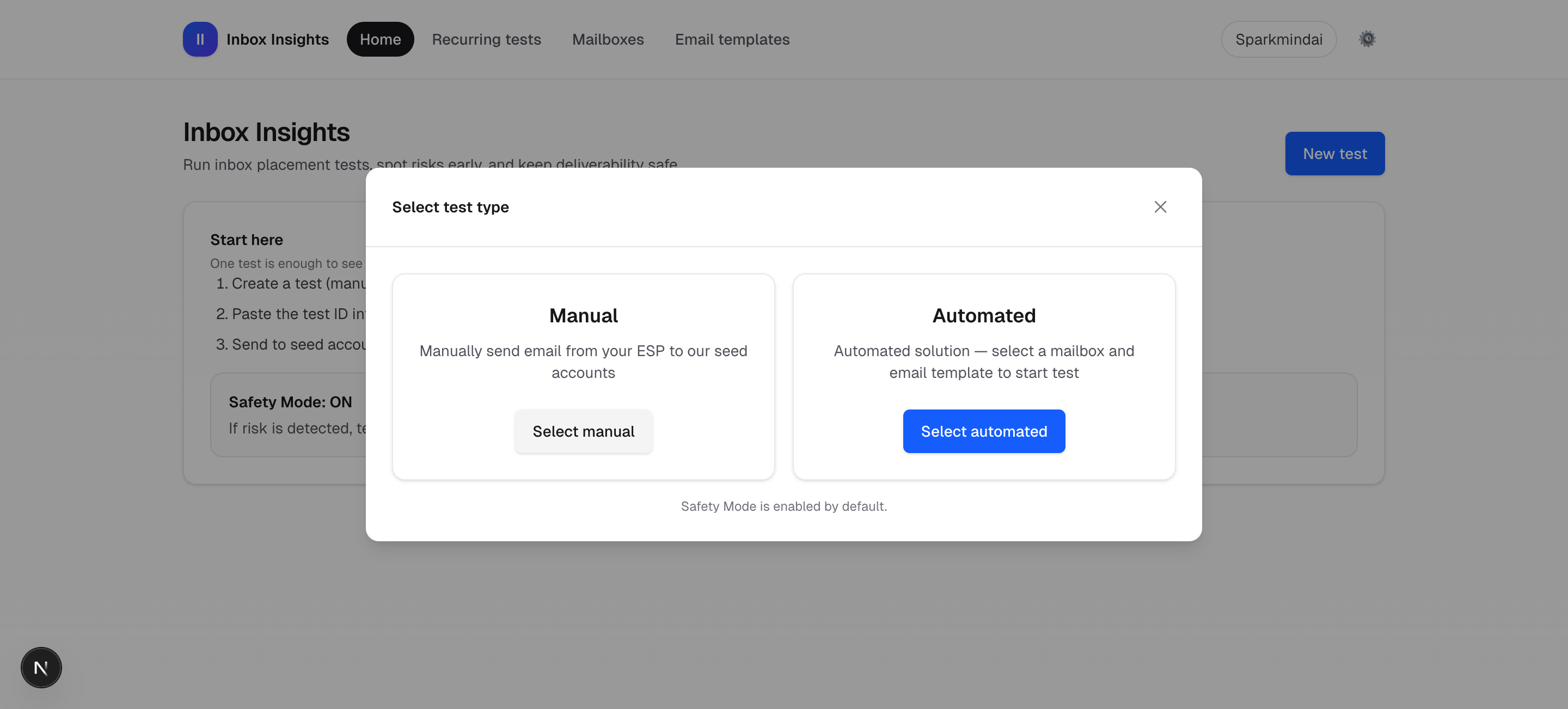
- Go to InboxMender → New test → Manual.
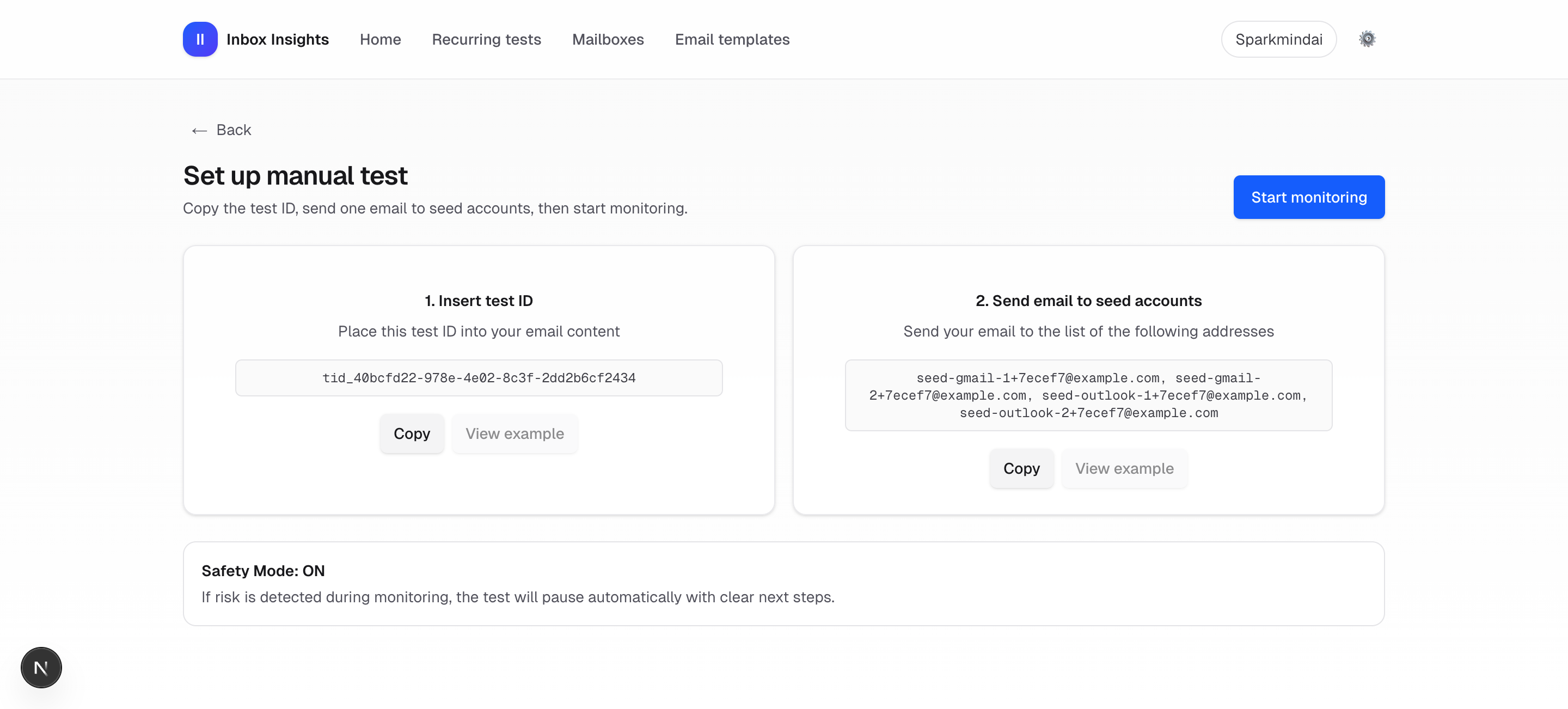
- On Set up manual test, copy the Test ID and paste it into your email body (anywhere).
- Send that email to the listed seed accounts.
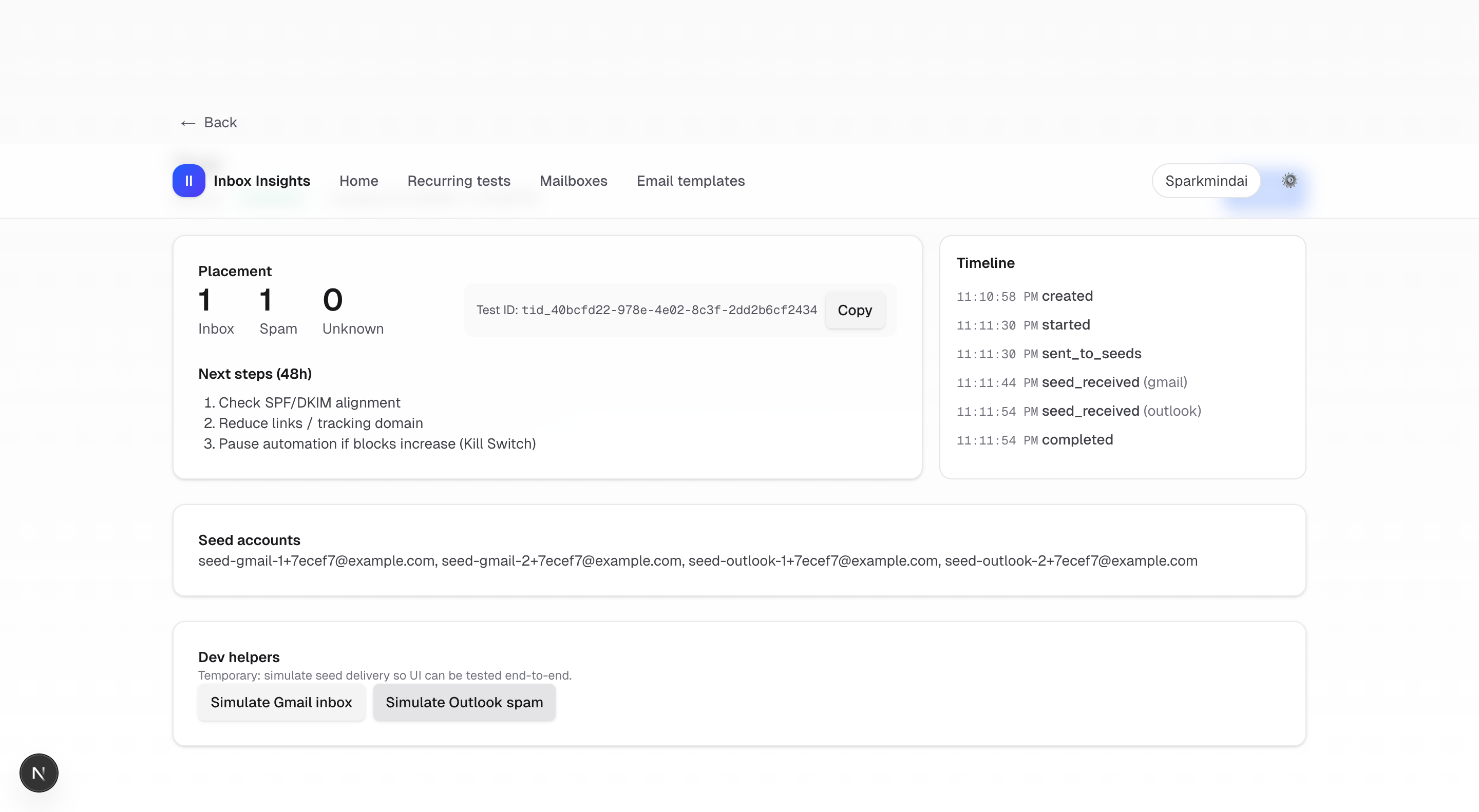
- Click Start monitoring, then Start test in the test detail page.
- Use Dev helpers to simulate seed delivery (for MVP UI walkthrough), and confirm status becomes completed.
Quick close-the-loop tip
If you don’t want to send a real email yet, you can use Dev helpers in the test detail page to simulate Gmail/Outlook placement and validate the UI end-to-end.